

Windows and sliding systems
IC Window
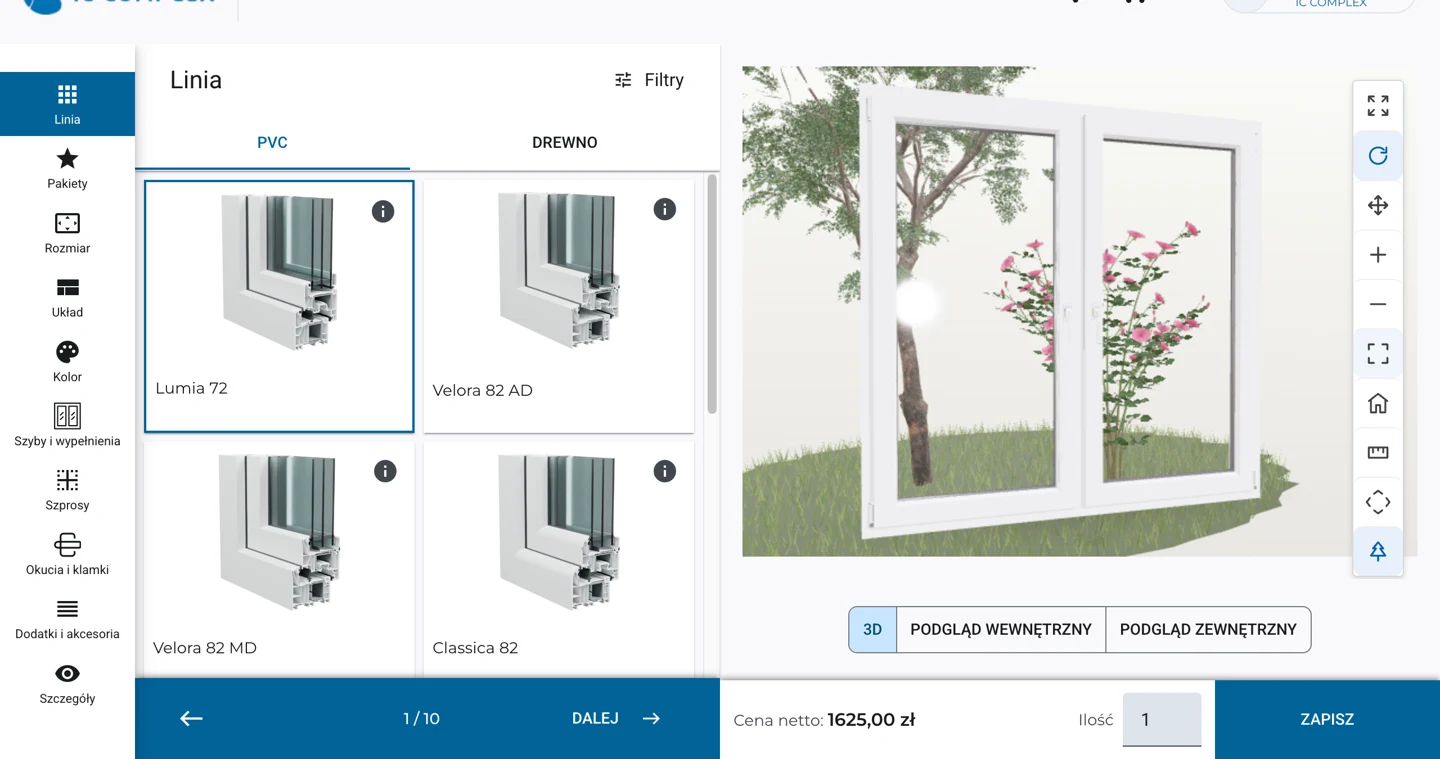
From individual windows to coupled assemblies and sliding systems. Choose profiles, divisions, glazing, and hardware, show the product in 3D, and prepare pricing.
Explore IC WindowWindows, doors, shading, garage doors, and your own products. Choose a configurator that guides sellers from parameters and accessories to a complete price—following your product rules.
Show the selected option, check its specifications, and prepare a quote without manually recalculating changes.
IC Window
From individual windows to coupled assemblies and sliding systems. Choose profiles, divisions, glazing, and hardware, show the product in 3D, and prepare pricing.
Explore IC Window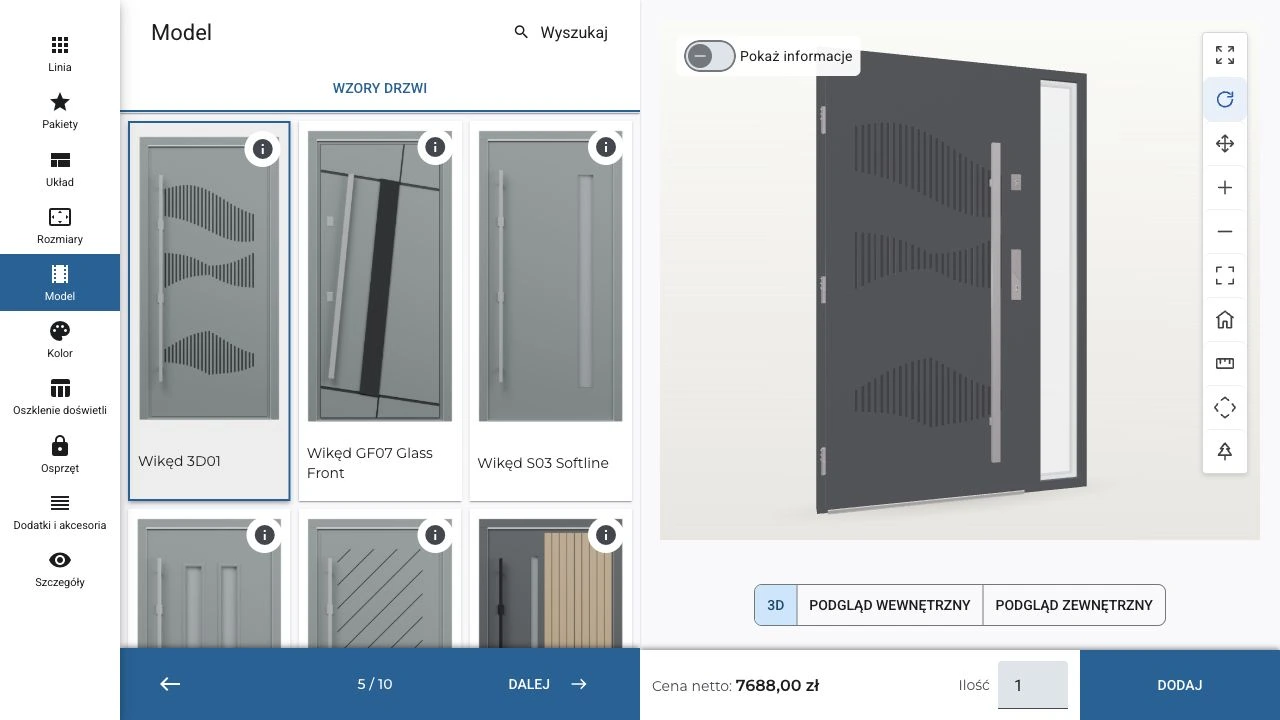

IC Door
Show how design, color, and hardware change the door. Select construction, sidelights, pull handle, and accessories; the configurator checks dependencies and calculates the price.
Explore IC DoorDimensions, installation, and controls form one assembly. The configurator helps select components that work together.

IC Roller Shutter
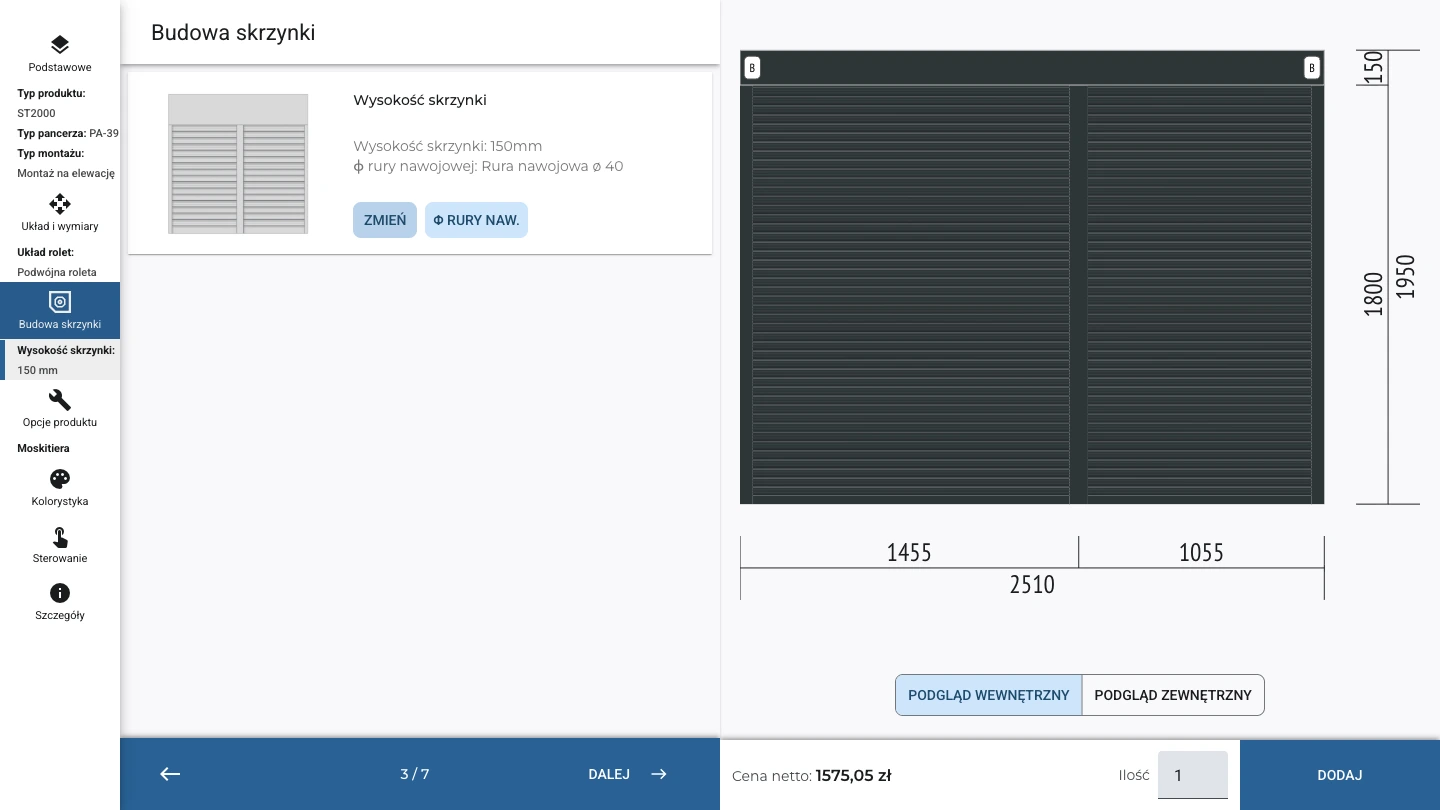
Start with installation type and dimensions. Choose the box, curtain, guide rails, and controls—with constraint checks and a 2D drawing of the selected roller shutter.
Explore IC Roller Shutter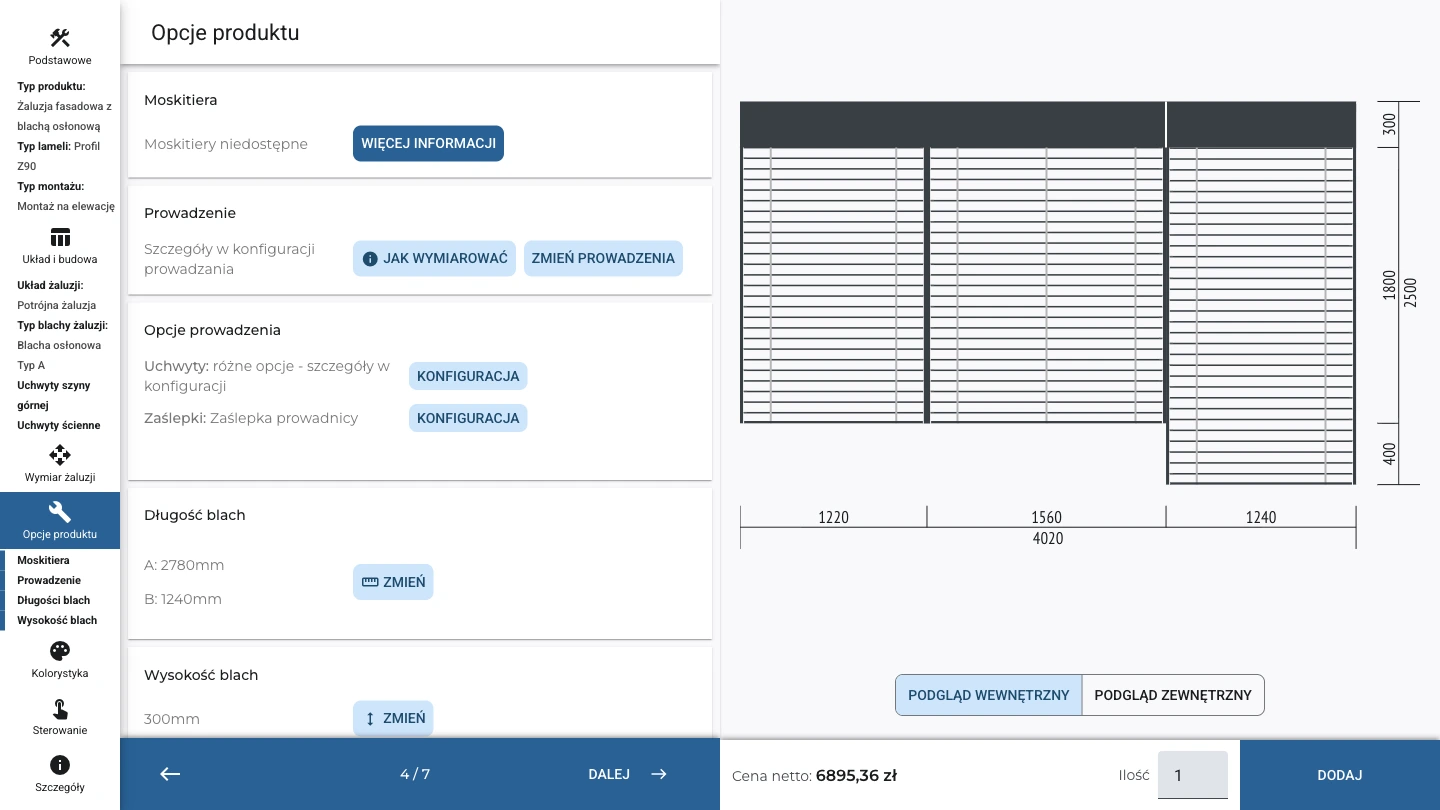

IC External Blind
Configure a single exterior blind or an assembly, including corners. Select slats, guiding, and motorization while accounting for dimensions and whole-assembly dependencies.
Explore IC External BlindUse a dedicated garage door configurator or build your own configuration model. Expand your product range with a consistent sales process.
IC Garage Door
Fit the garage door to the opening and site conditions. Select the track system, panels, glazing, and operator to price the complete assembly with accessories.
Explore IC Garage Door Custom configurators · any product range
IC Extra
Build your own configurators for any product range. Define parameters, variants, dependencies, and pricing—from simple products to complex assemblies.
Explore IC ExtraIC COMPLEX also covers interior shades and blinds, insect screens, and awnings. We tailor configuration scope to the manufacturer’s range.

IC Blind
Configure custom-size shades and blinds: material, color, mounting method, and controls. Parameters match the selected product type.

IC Mosquito Net
From measurement to a complete insect screen. Choose construction, profiles, mesh, color, and fixing method, then prepare pricing.

IC Awning
Combine model and dimensions with fabric and motorization. Price an awning with the manufacturer’s colors, controls, and accessories.
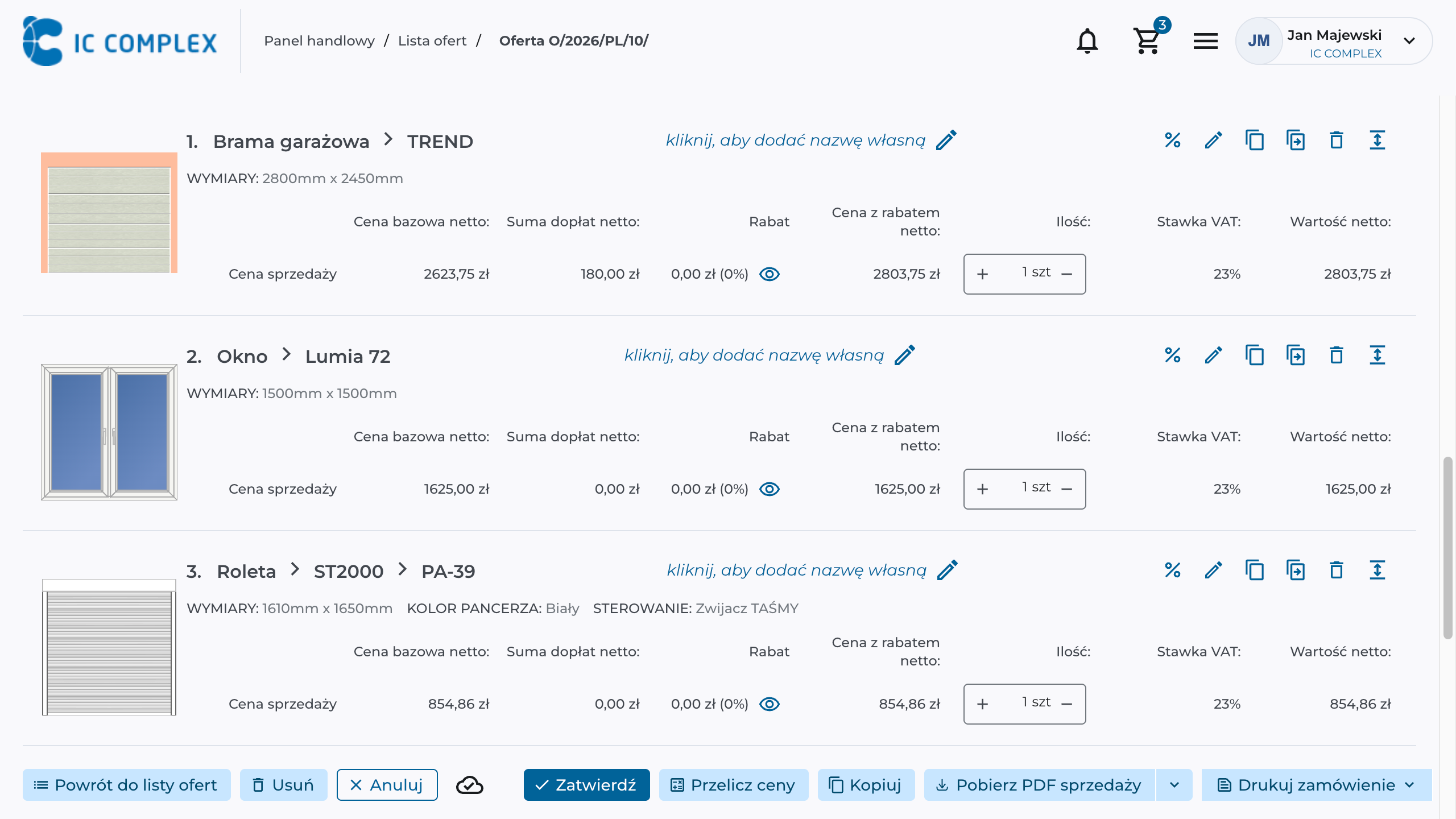
Windows, doors, and shading products can share one quote. Specifications, drawings, and prices stay with each item as the salesperson guides the customer toward an order.
Add the configurator to your website so customers can create their own configuration and submit it for a quote. The same product rules can also support sales teams and dealers.
Customers choose a product, set its parameters, and send the configuration to a sales rep. The conversation starts with a specific design. Pricing visibility and inquiry submission are agreed for your website.
Use the catalog and commercial terms assigned to your company. Add configured products to a quote and continue through to the order.
Sales impact, product range control, and implementation readiness—answers for those choosing a system.
The IC COMPLEX configurator guides salespeople through parameters and accessories, checks defined dependencies, and calculates pricing. Salespeople prepare quotes without manually recalculating every option, while technical teams focus on cases requiring advice.
Yes. Launch a selected product family, then expand within the same system. We match implementation to your range and sales process.
Yes. Product data, technical dependencies, and pricing reflect the manufacturer’s range. Salespeople use the variants and terms assigned to their accounts.
3D visualization is also planned for roller shutters, exterior Venetian blinds, and garage doors. These products currently use 2D drawings, while windows and doors are already available in 3D. We are extending 3D presentation to more product groups to help customers assess their chosen configuration. Technical 2D drawings will continue to complement the 3D view.
The configurator checks dimensions and selected components against manufacturer rules. It helps prevent invalid combinations and missing required accessories during quoting. This depends on accurate data and configuration rules, so validating them is a key part of implementation.
Yes. Configurators share the IC COMPLEX B2B environment. Manufacturers define products, prices, discounts, and permissions; salespeople and dealers quote and order independently within those rules.
We agree who manages the catalog and where product data and prices are maintained. ERP price lists can feed IC COMPLEX pricing. Price changes, new options, and new constructions may require different amounts of work; we agree on catalog maintenance with your team.
Yes. Configured products become quotes and orders in IC COMPLEX. Integrations transfer agreed data to ERP and production. Specifications and BOM exchange depend on the product and available system interfaces.
When you need configurators for your own products, IC Extra builds configurators: define parameters, variants, dependencies, and pricing rules for any product range. Add the finished configurators to your shared quoting and ordering process.
We need the product catalog, available dimensions and options, component rules, and price lists. Valid sample quotes and exceptions needing review are helpful. Together with product, engineering, and sales specialists, we define the configurator rules.
We set cost and timing after reviewing the product range, rule complexity, data readiness, integrations, and visualizations. We then quote the implementation scope and ongoing service terms. Rollout can start with a selected product group and expand in phases.
Compare quote preparation time, order correction counts, and the share of quotes requiring technical support before and after launch. Quotes handled per sales rep are another useful measure. Using the same product group lets you assess the impact and decide whether to expand the rollout.
Let’s review your catalog and pricing. We will show how to help salespeople prepare complete quotes.
