Less avoidable cost. Longer customer relationships.
Efficient claims handling reduces unnecessary calls, visits, and rework. IC COMPLEX saves your team time and protects customer trust—and future orders and referrals.
See what claims cost, which defects recur, and how customers rate your service. IC COMPLEX keeps cases in one place and helps you identify improvements to products and service operations.
AI summarizes cases, suggests replies, and helps automate everyday work. A team member approves each reply before it is sent.
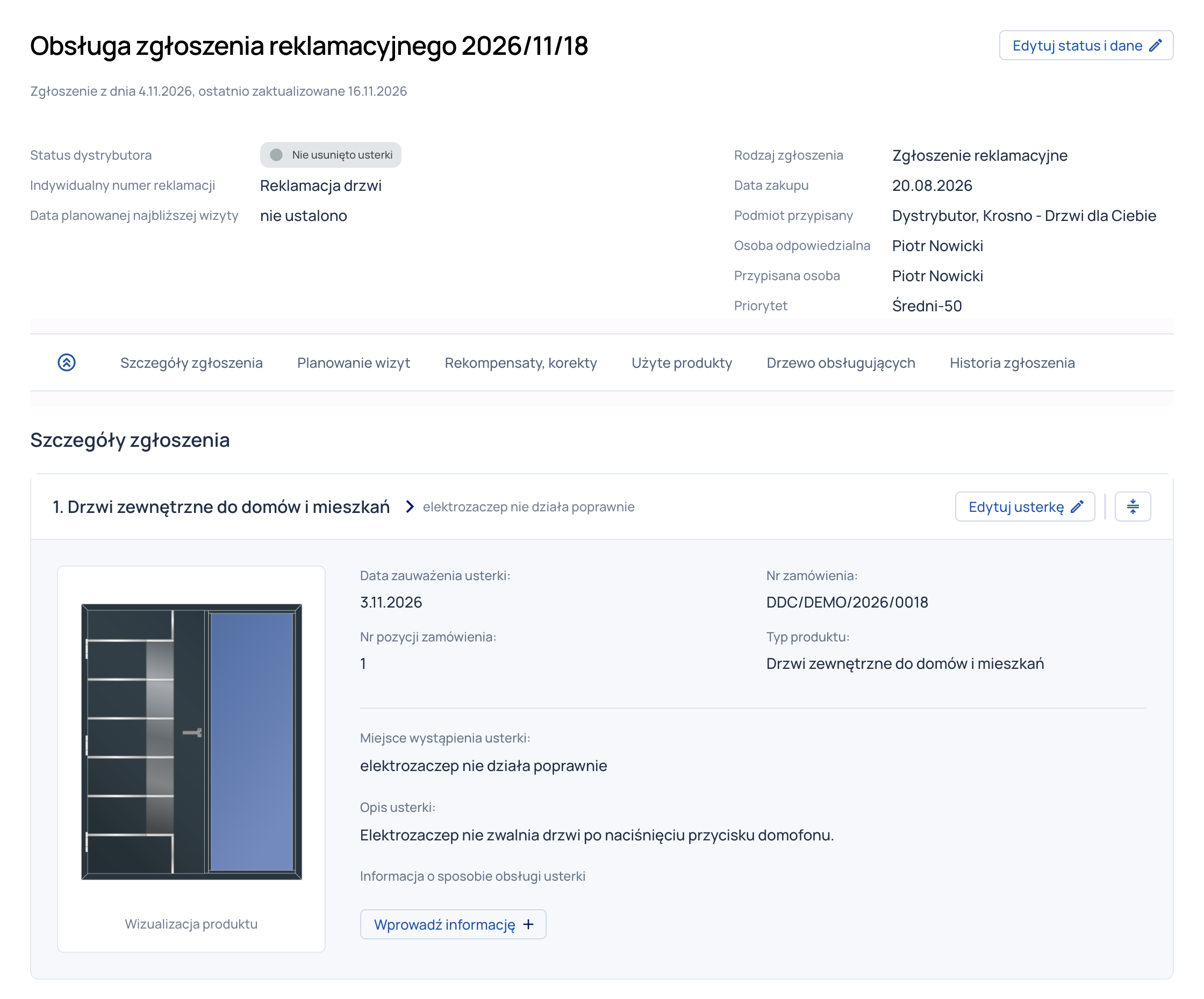
Create custom reports and adapt them to your current needs. Analyze costs, defects, and customer feedback to identify improvements before the same problem causes more expense.
Efficient claims handling reduces unnecessary calls, visits, and rework. IC COMPLEX saves your team time and protects customer trust—and future orders and referrals.
Identify affected products, defect rates, and recurring problems. Prioritize the issues that need attention first.
Learn how customers rate a closed case. Surveys show what works and what needs improving in claims handling.
Instead of searching dozens of email threads, separate forms, and multiple tools, manage each case in one system. Fault descriptions, photos, documents, correspondence, and activity history stay with the claim. Know what has been agreed and what still needs to be done.
AI brings key decisions together in a summary, helping you understand a case history quickly. It also drafts a reply for a team member to review and approve before sending.
Emails are added to the case automatically. Alerts flag unanswered requests so customers are not left waiting.
You decide who can view documents and correspondence and who can share information. Your team and partners collaborate on the case while confidential arrangements stay protected.
The dealer submits a claim directly to the manufacturer. Both parties can access the documents and decision history they are authorized to view.
Manufacturers, distributors, and retail locations work in one system with clear responsibilities. Manufacturer-confidential correspondence does not go directly to retail locations; permissions control access. Manufacturers can use reports while distributors handle claims.
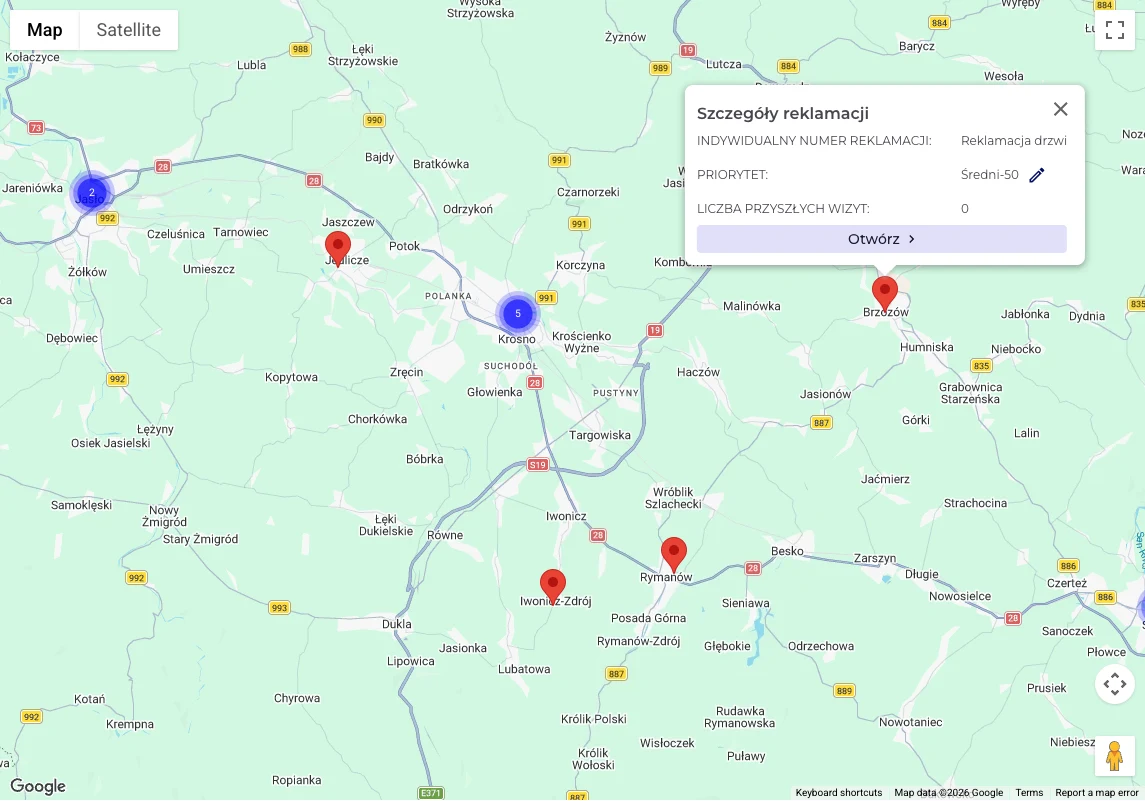
Schedule a visit, assign a technician, and check the location on the map. The fault description, photos, and previous agreements help the team prepare for the repair.
Record completed work and photos in a digital service report. The customer and technician sign it on a tablet during the visit. The report stays with the case and can also be shared with the customer.
Completed by the customer

Ask customers to rate the completed claim. Administrators create their own survey questions, so you collect feedback on what matters for your products and service.
Compare customer feedback with costs and defect types. Identify improvements that prevent recurring issues and keep customers from losing confidence.
 Survey after a claim is closed
You decide
what you ask your customers.
The administrator defines the questions.
… more questions to suit your needs
See how to organize claims handling and adapt the system to your company, partners, and service team.
Problem descriptions, photos, documents, correspondence, and activity history stay in one case. Your team no longer searches across inboxes, forms, and files. Use the collected data to report costs, analyze defects, and evaluate service quality.
Yes. We adapt the system to who receives claims, makes decisions, contacts customers, and performs repairs. This defines stages, access, and handoffs between participants.
The examples here are from the window and door industry. If you work in another field, let’s discuss how you receive claims, provide service, and work with partners. We can then define how to adapt the system to your claims process.
Yes. Sellers can submit cases directly to manufacturers or through distributors, including further partner levels. Manufacturers can monitor reports while distributors manage claims.
Only people you authorize. Define what manufacturers, distributors, retail locations, and service teams can see. Confidential decisions are not shared across the whole network; the system controls information flow between levels.
Create your own reports in the system and adapt them to your current needs. Analyze claims handling costs, product types, defect rates, and reported fault categories. Comparing this data with customer ratings helps identify recurring issues and decide what to improve in products or service.
Yes. The system sends case messages, receives replies, and saves them as notes. Correspondence stays in the case history without copying from staff inboxes.
Yes. Email alerts flag cases needing attention, such as unanswered requests. They help teams respond before customers have to chase their claim.
Schedule visits, assign technicians, and use the case location map. Work completed and photos go into a digital service report. Customers and technicians can sign on a tablet during the visit, and the report stays with the case.
After closing a case, collect customer feedback through a survey. Administrators define questions to fit the business. Learn how customers rate communication, repairs, and overall service, complementing the technician’s report.
AI summarizes case histories and suggests replies. Quickly review prior decisions and outstanding tasks. A team member approves each reply before it is sent, and we tailor automation of selected tasks to your team’s workflow.
We are ready to integrate with your ERP, CRM, and other tools. We have experience connecting systems and exchanging data. During implementation, we agree on the integration method and which data is transferred at each stage of the claims process.
Show us a sample claim, forms, and documents. Explain who handles cases and what makes work difficult today. Together, we define reports and integrations, then prepare the implementation scope and schedule.
We prepare a quote for your company after reviewing case handling, participants, network structure, and integrations. Pricing reflects the agreed work scope.
Book a demo to see how IC COMPLEX helps handle claims more efficiently, save your team's time, and build customer trust.
